CM Punjab Loan Scheme 2026 Online Apply: Identify The Right Finance Portal And Avoid Mistakes
A broad search for a Punjab loan can lead to the wrong government form. Learn how to distinguish the Asaan Karobar Card, larger enterprise finance and unrelated housing support before entering your CNIC.
The Short Answer
There is no single universal Punjab government loan form. Punjab Small Industries Corporation describes Asaan Karobar Card as structured digital SME funding of up to Rs 1 million, while Asaan Karobar Finance offers different enterprise tiers and underwriting. Choose a named scheme first, then check its live application and fee instructions.
Key Facts At A Glance
These are the central published facts for this programme, not a guarantee of admission, approval or an open registration window. The references at the bottom distinguish current official pages from historical phases.
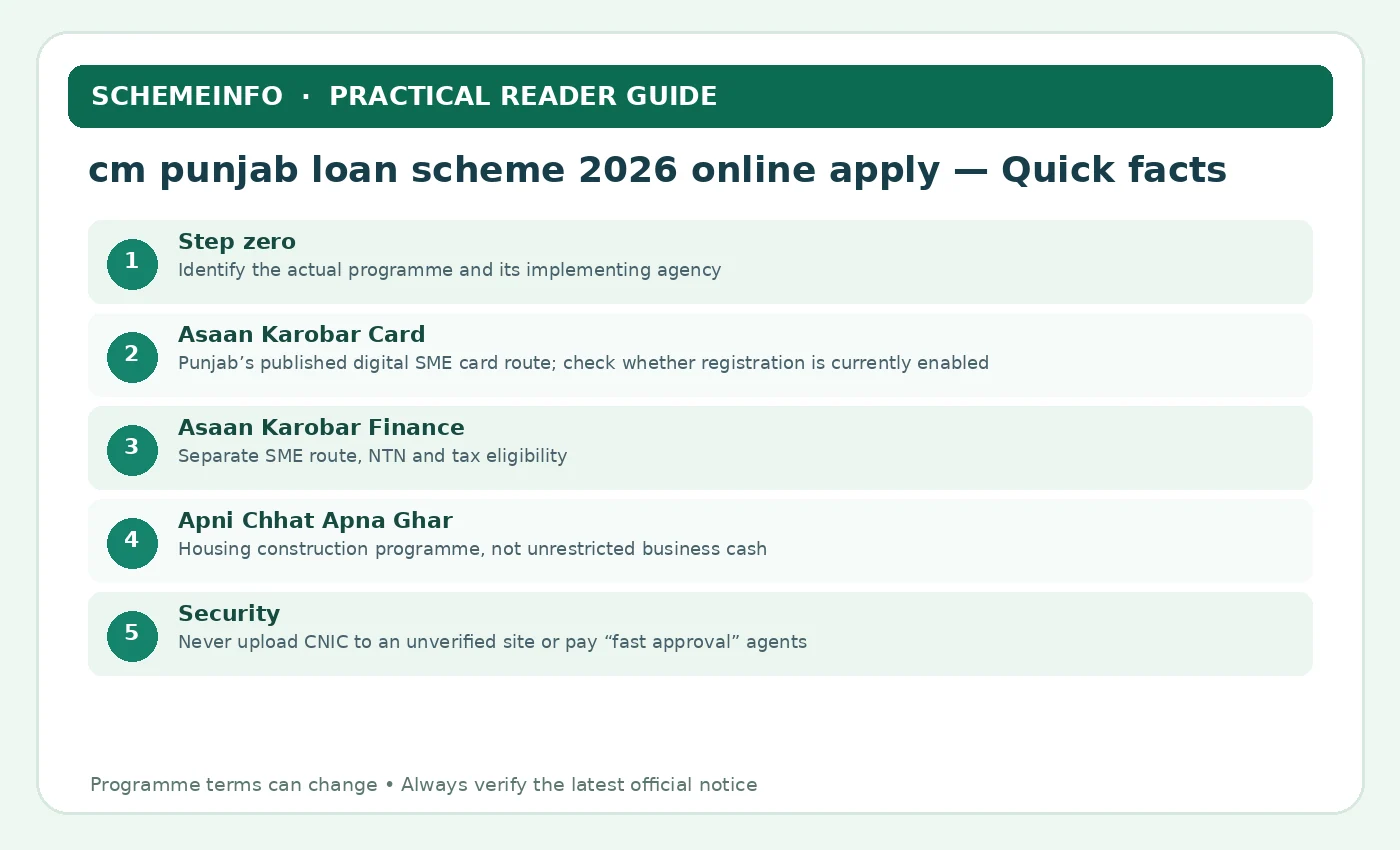
| Step zero | Identify the actual programme and its implementing agency |
|---|---|
| Asaan Karobar Card | Punjab’s published digital SME card route; check whether registration is currently enabled |
| Asaan Karobar Finance | Separate SME route, NTN and tax eligibility |
| Apni Chhat Apna Ghar | Housing construction programme, not unrestricted business cash |
| Security | Never upload CNIC to an unverified site or pay “fast approval” agents |
Lender Eligibility And Borrower Suitability
Begin with the responsible institution’s written eligibility rules for this loan option. These checks are not a promise of approval; eligibility is decided through the named programme’s actual verification process.
- Have the purpose ready: business card, larger SME finance, housing construction or farm-related support.
- Confirm province, age and business location or land ownership for the selected route.
- Check tax-filer, NTN and credit requirements if the route concerns larger SME financing.
- Use an applicant-owned CNIC and registered telephone number for SMS and account recovery.
- Have enough repayment capacity for loan products and understand the approved use of funds.
- Check the current form’s availability directly on the department’s official site.
Application Documents And Supporting Evidence
Keep essential records legible and separate from optional supporting papers. For this loan option, confirm which forms the responsible office requires before sharing identity or family information.
- CNIC, applicant-controlled mobile and accurate postal or residence details.
- NTN, FBR filing and proof of business premises for larger business finance if stated.
- Business nature, projected costs, evidence of expenses and quotations for the requested use.
- Land record, urban/rural plot size and NSER information for relevant housing schemes.
- Bank statements, tax evidence, guarantees or property security where the lender requires them.
- Application reference, submitted declaration and any official email/SMS acknowledgement.

Choose Between Card Finance And A Larger SME Loan
Start by writing down the proposed expenditure. An individual shop owner seeking inventory and supplier payments has a different need from a manufacturer seeking machinery, property or working-capital expansion. The digital card restricts expenditure through specified channels, while larger SME financing involves additional lender checks and, at higher tiers, collateral.
Published Punjab Small Industries terms identify up to Rs 1 million for the Asaan Karobar Card and business-finance tiers from Rs 1 million to Rs 30 million. The card’s applicant age range and business-finance age range are not identical. Never copy a requirement from one programme into another simply because both are marketed as interest-free.
Before starting an application, calculate your average monthly cash surplus after rent, wages, utilities, tax and personal obligations. Zero borrower markup does not make repayment risk disappear; missed instalments can still affect business operations.
- Name the exact programme and implementing body.
- Confirm age, tax and credit-history criteria for that product.
- Read all processing and annual charges.
- Retain your submission and transaction reference numbers.
How The Official Online Application Works
Use these programme-specific details to check the official route and to avoid interpreting a rule more broadly than it was written.
Step 1: Identify The Programme And Official Agency
A general search phrase cannot tell the system whether a person wants a microenterprise card, SME expansion finance or help constructing a home. Starting with the wrong form creates privacy and eligibility problems. open Punjab’s programme overview and note the implementing agency, purpose and exact government link. Do not use a sign-up form merely because it appears first in sponsored search results. For applicants, applicants should use their own registered contact details and keep the submission number private. A homebuilder should move to the housing programme page, not the PSIC business card portal.
Step 2: Read The Eligibility Before Creating An Account
Asaan Karobar Finance has an age range and tax-credit conditions different from the Asaan Karobar Card, so an account can be created for a product a borrower is not eligible to receive. Compare identity, province, age, business location and credit history with the exact scheme checklist first. Fix records through their issuing institutions when necessary. For readers researching this loan option, it helps to separate a scheme’s rules from a lender’s underwriting. A 23-year-old enterprise owner may fit the Card age band but not the older age threshold of the larger Finance programme.
Step 3: Recognise The Correct Official Domain
Provincial websites often link to specialised portals. The page can legitimately change from a general Punjab overview to another .punjab.gov.pk address managed by the implementing body. verify the address through the original department website and save it. Do not follow shortened links sent in unsolicited WhatsApp messages asking for CNIC and OTP. For applicants, a practical reader can make a document folder with three groups: required at submission, conditional after verification and optional material for a later appeal. A domain adding one extra word or hyphen to resemble the government name is not proof it is operated by the government.
Step 4: Complete Identity Details Without Shortcuts
CNIC name, date of birth, contact and declared address should be entered exactly from authentic documents. Incorrect entries can be difficult to correct after a portal has generated a reference. use the applicant’s own phone and email so verification codes, receipts and notices reach the right person. For applicants, the best question to ask before applying is what happens if the answer is no. A business consultant may assist with a form, but should not retain the applicant’s OTP, password or account ownership.
Online Form Validation, Status And Contract Review
Step 5: Select The Business Category And Loan Purpose
The business Card restricts expenditure to permitted digital channels, while the larger Finance programme supports various SME capital and working-capital needs. describe how the requested money will be spent with enough specificity to support verification and budget review. For applicants, comparison articles are most helpful when they show differences instead of treating all programmes as one product. Equipment purchase, shop stock, new premises and a vehicle lease may be treated differently even within one programme.
Step 6: Upload Supporting Files Properly
Unclear or mismatched CNIC scans, tax proofs and business documents can cause a request for correction. Some items are compulsory only for particular tiers, while collateral evidence can be relevant later. Read the portal’s own accepted file types, size limits and names; use clear, complete scans without decorative edits or missing pages. For readers researching this loan option, keep both dated official notices and your own submission evidence. An applicant should not submit someone else’s land record merely because their own file is temporarily unavailable.
Step 7: Understand Declarations And Consent
Formal lending often includes credit-data consent, existing-liability declarations and terms about authorised use of money. These declarations have legal and practical consequences. read the notice and form before ticking it, especially disclosures about current borrowing and repayment ability. Keep a PDF copy if the system provides one. For applicants, when evaluating a monthly payment, test whether it remains affordable after rent, groceries, utilities, medical spending and unexpected expenses. Hiding an existing bank loan may create inconsistencies in a lender’s credit review and weaken the application.
Step 8: Submit Once And Retain The Tracking Information
Pressing Submit may generate a reference but does not prove acceptance for financing. Some systems move through verification and bank assessment before sanctioning. Save the date, reference number and on-screen confirmation securely. A screenshot without personal exposure can help identify the correct case later. For readers researching this loan option, watch for differences between an information portal and the institution that makes the final decision. If an applicant sees “submitted” on the dashboard, they should wait for authorised next steps rather than paying a third party to accelerate approval.

Costs, Documents And Decisions
Step 9: Monitor The Correct Dashboard Or Office
Different Punjab departments maintain different tracking systems. A loan Card’s tracking route cannot check a housing application or a mechanisation subsidy. log in through the same authentic service used for application, or contact the participating institution using numbers listed on official pages. For applicants, for important claims such as subsidised interest or a grant amount, identify the paying party and the applicable conditions. A CNIC search box on an unrelated comparison website is not an approved provincial case-checking service.
Online Last Dates Can Change By Phase
Search results often display old application deadlines while a different programme remains open. A statement made at a 2025 launch cannot by itself establish an active 2026 round. Locate a newer government notification before publishing a deadline or telling readers to register immediately. If there is none, say the current date could not be confirmed. For readers researching this loan option, protect personal data throughout the process. Avoid publishing a countdown clock unless it is tied to the programme’s own current page.
Processing Charges Must Match The Programme
Punjab publishes a Rs 500 Card processing fee and a separate annual card charge, while main Finance has higher processing fees based on its tier. Borrower markup is subsidised but other costs can exist. check which charge is due at application and which applies only after approval or issuance. Pay only through the officially documented route. For applicants, if a scheme has several rounds or phases, use the phase year when describing deadlines or selection. Never transfer a fee to an individual wallet because a social media contact calls it a “fast track charge.”
Alternative Route When Online Is Unavailable
An inaccessible portal could be down for maintenance, closed to new applications or blocked by a technical issue. Check the official department’s notices and contact its published helpline before trying unrelated sites. Keep a record of errors when genuine technical support is needed. For applicants, the broader objective is a complete and truthful application, not the fastest possible click. Refreshing a closed application page repeatedly cannot reopen a completed intake window.
Troubleshooting, Safer Alternatives And Next Steps
What To Do After An Application Is Returned
A request for correction is not always a rejection, and a rejection should not automatically be treated as a fraud case. Reasons may include incomplete records or an ineligible business category. read the official remark, correct the underlying issue and resubmit only when the portal permits it. For applicants, a reader may benefit from a small decision tree: verify the programme, decide whether the product fits the purpose, check eligibility, gather evidence, calculate affordability, and only then submit. If a clean-credit condition is unmet, uploading a new photograph will not solve the lending problem.
Security And Privacy Of Uploaded Files
Online finance registration can involve sensitive CNIC, income and property documents. Once uploaded to an impersonation site, records may be hard to recover. Use an original bookmarked government URL and never allow agents to install remote-access apps or receive OTPs. For applicants, for fairness, a guide should also explain what the service does not offer. A claim that “approval is guaranteed after sending a token payment” should be considered suspicious.
Before Signing A Loan Offer
Registration and even provisional selection are different from signing a financing agreement. Rates, fees, repayment period and the provider’s identity must match the official offer. compare the final amount, instalment, security conditions, penalties and direct charges with the application budget before acceptance. For applicants, the decision for a reader is not simply whether a programme sounds attractive. It is whether this particular condition matches the applicant’s situation and the current published rules. If two members of one household are applying for different purposes, they should compare the precise category before preparing two nearly identical applications. A shop buying a machine should not commit a nonrefundable deposit based solely on an application acknowledgement.
Keeping An Auditable Submission Record
A complete application record includes the official website, notices, timestamp, reference number, submitted documents and communications. It can be useful in both follow-up and complaint resolution. save files privately and redact identity numbers when asking a third party for advice. Use the original department channel for corrections. For applicants, a good comparison separates official entitlement from an initial marketing description. The amount advertised at launch is not necessarily the amount a lender or committee will approve. For example, a person planning a small repair should not build a budget around the maximum financing amount if the verified stage supports a smaller payment. A clean record helps demonstrate whether a problem arose during registration, document review, lender assessment or disbursement.
Validate An Application Without Exposing Your CNIC
Use the official page linked by Punjab’s department, check the exact domain, and never send a password or one-time verification code to a broker. A completed application may pass through document review, credit assessment, correction requests and final sanction. A dashboard message is not a loan agreement.
If the form rejects an identity field, compare the spelling and number with your NADRA document before submitting again. If it rejects business information, check whether the legal name, premises record and tax registration agree. Photograph-based shortcuts or invented turnover figures can create future problems even when the screen initially accepts them.
The final offer should specify the financing amount, permitted use, fees, duration, security, instalments and consequences of late payment. Save that written offer and ask questions before accepting.
- Check the URL before entering private information.
- Keep the mobile number registered to the applicant.
- Use the named help channel for corrections.
Choosing The Right Borrowing Route
Beyond the headline amount, these details help a borrower compare the offer, prepare reliable evidence and avoid avoidable costs. Financial terms and availability always depend on the actual lender or programme.
Start At The Right Official Portal
Many application mistakes begin before the first form field: the visitor assumes there is one CM Punjab financial-aid site for every scheme.
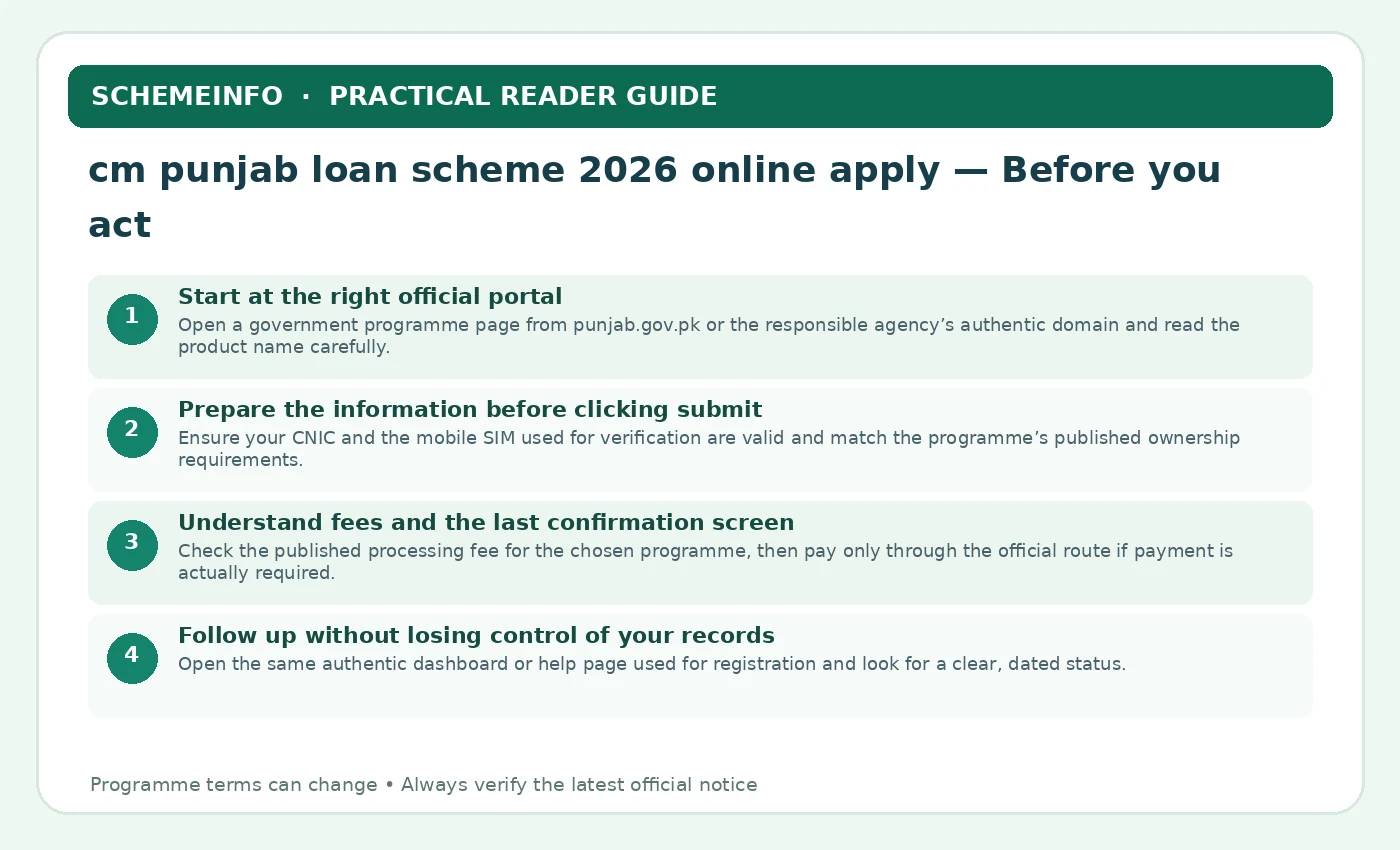
- Open a government programme page from punjab.gov.pk or the responsible agency’s authentic domain and read the product name carefully.
- Confirm whether you seek a small business card, larger SME finance, qualifying housing construction or a separate asset-based scheme.
- Check the current registration message before starting; a page with programme details may display a closed or paused intake.
- Inspect the actual browser address for misspellings before entering CNIC, mobile number, OTP or business data.
- Keep a note of the official help line or contact desk, because an applicant may need assistance after submitting the form.
If you cannot identify the loan product, department and exact URL, you should not start an online application.
Prepare The Information Before Clicking Submit
A correct form is easiest to complete with records already checked. Missing information causes duplicate submissions, mismatched entries and avoidable fees.
- Ensure your CNIC and the mobile SIM used for verification are valid and match the programme’s published ownership requirements.
- For business finance, prepare business address, turnover evidence, intended use and any required NTN or active tax-filer proof.
- For an established business, organise ownership or rental evidence of the premises and supporting financial documents.
- For housing support, review landownership, family status and socioeconomic conditions instead of uploading commercial loan documents.
- Name digital files clearly, check legibility and avoid submitting images containing unrelated people’s private details.
The aim is consistency: name, address, purpose and financial figures should agree across every uploaded record.
Borrower Decision Worksheet: CM Punjab Loan Scheme 2026 Online Apply
Work through these questions before providing personal records or accepting a financing offer. This is an independent decision tool, not a lender application form. Write the evidence or published rule that answers each question.
- Decision 1: Which named lender, department or licensed company would make the actual decision?
- Decision 2: Is this the currently authorised application route, and what date is the guidance from?
- Decision 3: What amount would reach my account after processing and other authorised deductions?
- Decision 4: What exact dates and amounts would I repay, including any compulsory fees?
- Decision 5: How much remains after rent, food, utilities, transport and all existing repayments?
- Decision 6: What happens to collateral, guarantors or credit records if I miss a payment?
- Decision 7: Can I prove the spending purpose and funds use with appropriate business or personal records?
- Decision 8: Where is the responsible organisation’s official complaints and correction channel?
Four Checks Specific To This Financing Question
Keep a note of the official help line or contact desk, because an applicant may need assistance after submitting the form.
Name digital files clearly, check legibility and avoid submitting images containing unrelated people’s private details.
Save the final tracking or acknowledgement reference and keep it apart from passwords or OTPs.
Before signing an offer, confirm total obligation, permitted spending, instalment calendar and any collateral or guarantee.
The purpose of a worksheet is to prevent one misleading number from deciding the entire choice. Compare the original source, the actual offer and the household budget. If any one of these is missing, the sensible next action is further verification rather than signing.
Worked Application Record: Keep Four Statuses Separate
Suppose a Punjab applicant creates an online account, saves a draft, submits the form and later receives a request for a corrected business document. These stages should not be confused with financing approval.
| Account created | Login exists, application may not be submitted |
|---|---|
| Draft saved | Fields may still need completion |
| Form submitted | Acknowledgement/reference should be saved |
| Under verification | Identity, tax, business or premises checks may remain |
| Formal sanction and disbursement | Requires the authorised process and actual payment |
What The Comparison Means Before You Act
- Save a copy of the official application reference and date immediately after completing submission.
- Keep copies of uploaded documents and the same business address across the form, tax records and premises proof.
- If a field is returned, correct it through the legitimate dashboard rather than making a duplicate account with altered data.
- Never interpret “under review” as a promise that the full requested amount is guaranteed.
- If an older intake is closed, wait for a new official notice; private agents cannot lawfully reopen the portal for a special fee.
- Before accepting a final offer, review fees, eligible spending, repayment dates and any guarantee or security obligations.
Clear records reduce the chance of duplication and give the applicant a useful basis for a future official status query.
Illustrative worksheet: Figures are educational examples, not a real lender quotation or confirmed approval. Always use the responsible institution’s current written terms.
How To Proceed With CM Punjab Loan Scheme 2026 Online Apply
Loan applications differ by lender and programme. Follow the authorised current procedure, and separate application submission from credit approval and money being deposited.
- Name the exact product: Identify the licensed bank, NBFC or department responsible for cm punjab loan scheme 2026 online apply. Confirm its official portal or branch before providing information.
- Check whether it suits the purpose: Match the product’s geographic, age, income, security, tax and business-purpose rules to your situation, without assuming every lender has the same criteria.
- Calculate the real budget: Write down the expense that needs funding, money you can contribute, net cash required and the instalment that remains affordable in a weak month.
- Prepare truthful records: Make required identity, income, employment or business records consistent; do not pay an agent to alter credit or eligibility data.
- Apply through the proper channel: Use the verified online system or branch, save the acknowledgement and never share an OTP or PIN with a supposed loan officer.
- Read the offer before agreeing: Check the written amount, fees, net proceeds, repayment schedule, security, consent, default and complaints terms before signing or accepting digitally.
- Keep records after funding: Save the agreement, disbursement receipt, instalment record and lender contacts. If there is a problem, use the institution’s documented complaint process.
Official Sources And How To Verify Updates
Official programme notices and lender instructions take precedence over older articles, screenshots and social-media posts. Check the precise phase, date and applicant category before submitting personal details.
Compare Punjab Business Finance Routes
For related topics, explore the following site searches. Each subject has its own rules and application procedure, so do not transfer eligibility requirements between programmes.